

Stylify uses CSS-like selectors to generate optimized utility-first #css 💎. Created with ❤️ by @8machy. #stylifycss Discord chat 👉 discord.gg/NuJsk5SMDz 💬
The Internet
- Tweets 437
- Following 3
- Followers 985
- Likes 301
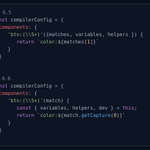
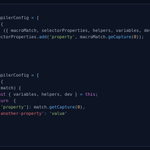





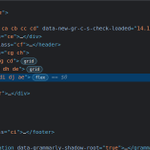
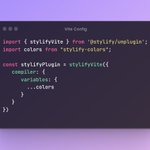
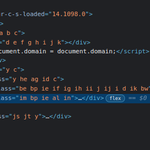
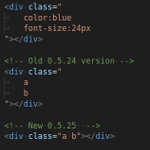

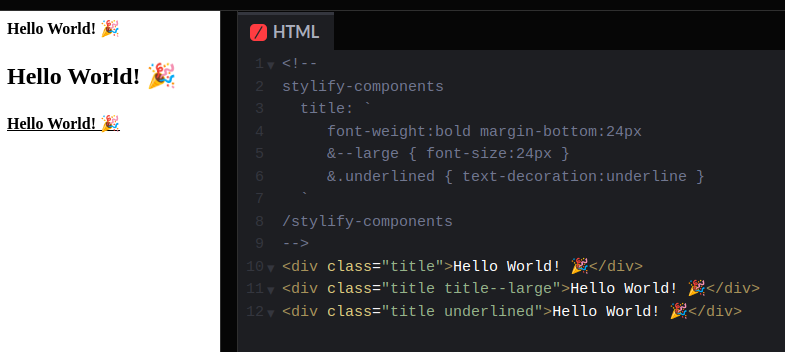
Did you know, that in Stylify, you can use a similar syntax to #SCSS to define a component? 💎
It's a great way to make the code more flexible🔥.
👉 stylifycss.com/docs/get-star…
#stylifycss #css #code #web3 #100DaysOfCode #LearnToCode #javascript #webdevelopment #vuejs #reactjs
1
1
4
662
Stylify retweeted

Even though this guide is focused primarily on Stylify CSS, all the tips explained in this guide can be used within any other Utility-First CSS framework that supports similar features.
#DEVCommunity #CSS
dev.to/machy8/best-practices…
1
3
250
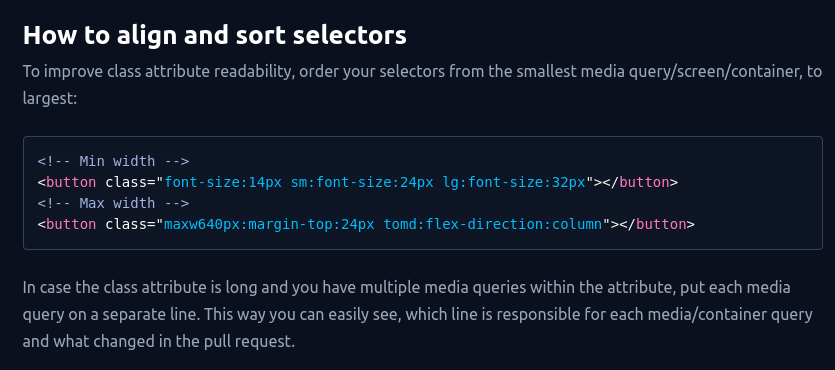
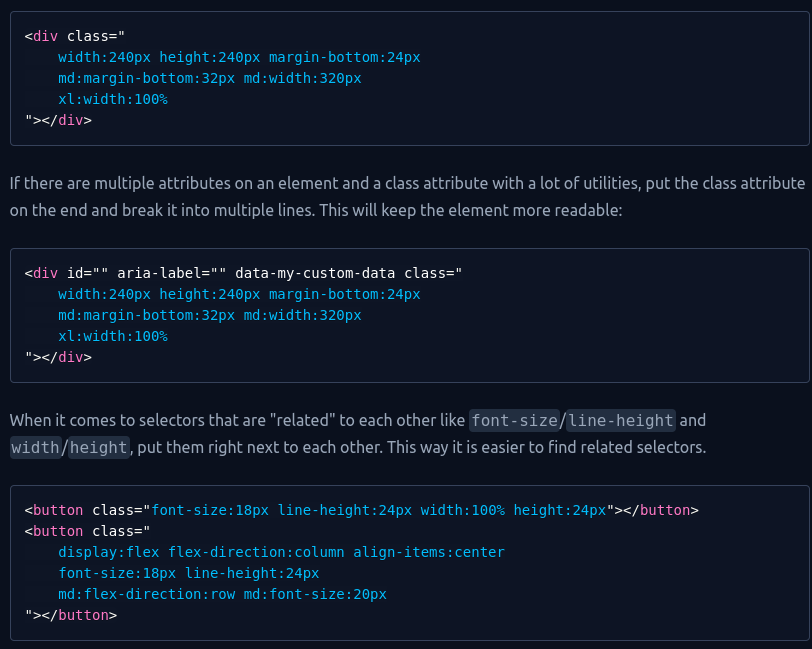
Best Practices tip for Utility-First #CSS 🤟
👉 stylifycss.com/blog/best-pra…
If you have a lot of utilities in a class attribute, sort these selectors to improve readability.
#css #javascript #webdev #tailwindcss #code #web3 #webdesign #ux #ui #vuejs #reactjs #100daysofcoding
1
2
306
Get the most from Utility-First #CSS 🚀.
👉 stylifycss.com/blog/best-pra…
✅Avoid bloated templates
✅Improve dev experience
✅Write more reusable code
✅Get extremely small CSS bundles
#webdevelopment #code #webdesign #javascript #reactjs #tailwindcss #tailwind #100DaysOfCode #web3
1
2
5
459
Also, a big thanks go to @Posandu for his cooperation on this article!
1
182
Stylify retweeted

𝙎𝙩𝙮𝙡𝙞𝙛𝙮, ¡𝘾𝙎𝙎 𝙢𝙖́𝙨 𝙧𝙖́𝙥𝙞𝙙𝙤! | 𝙍𝙚𝙘𝙪𝙧𝙨𝙤𝙨 𝙥𝙖𝙧𝙖 𝙙𝙚𝙨𝙖𝙧𝙧𝙤𝙡𝙡𝙖𝙙𝙤𝙧𝙚𝙨 | 𝙏𝙧𝙖𝙞𝙣𝙞𝙣𝙜𝙄𝙏
trainingit.es/index.php/2023…
1
2
165
We have hit 1000 followers!🎉
Thanks a lot for such support! ❤️
stylifycss.com/
#css #javascript #webdev #code
4
256
Stylify CSS just hit 300 stars ⭐ on Github!
github.com/stylify/packages
Thanks a lot for such support❤️!
P.S. some new features are also in the works🤟
#css #javascript #vuejs #github #code #webdesign #ui #ux #vuejs #reactjs #svelte #laravel
1
6
369
If you plan to use Stylify CSS and CSS variables for lightmode/darkmode, there is an example for you with a simple button🤟.
Stylify can easily override lightmode variables when the darkmode media query is matched.
codepen.io/Machy8/pen/KKBQZo…
#css #javascript #webdev #html #code
2
401
Stylify retweeted

StelifyCSS like tailwind framework but easier to learn and read.
stylifycss.com/
1
1
1
468
Code your website faster with @materialdesign Theme generated from Material Theme Builder🚀
@stackblitz Playground stackblitz.com/edit/stylify-…
stylifycss.com/blog/material…
✅Automatically generated color palettes by Builder
✅Fast coding with Stylify
❤️Amazing developer experience
#css
2
3
7
819
What the Material Theme Builder can do?
It takes like 5 minutes to automatically generate:
✅Background/front color palettes
✅Palette for light/dark mode
✅Typography sizes for various cases
✅CSS variables
✅Export for web, @Android + @FlutterDev
#css #javascript #webdev
1
6
389
StylifyCSS.com got mentioned in @JAMstacked newsletter by @remotesynth🤟.
Thanks a lot for the mention❤️!
Check out the newsletter👇.
jamstack.email/issues/72
#css #jamstack #webdevelopment #javascript #reactjs #vuejs #github #nextjs #nuxtjs #serverless #ux #ui
1
3
424
Stylify CSS has been marked as one of the
Top Front-End Tool Of 2022
in an article written by @ImpressiveWebs on @smashingmag 🎉
Thanks a lot for the mention! ❤️
Check out the article👇
smashingmagazine.com/2023/01…
#css #javascript #webdev #code #webdevelopment #reactjs #ux #ui
2
7
485
Stylify retweeted

We now can easily integrate/use in @stylifycss by
@8machy any Material Design 3 ("Material You")
@materialdesign themes generated using the new Material Theme Builder! Saves a lot of time! See: stylifycss.com/snippets/snip…
1
1
343
Stylify retweeted

[🔧] ¿Conoces Stylify? Es una alternativa a Tailwind #CSS que va un paso más allá.
🔤 Sintaxis ya conocida
📈 Sin curva de aprendizaje
👩💻 Escribe CSS normal en clases
⚛️ Soporta variables y componentes
🗜️ Funciona con Webpack, Rollup o Vite
👉 stylifycss.com
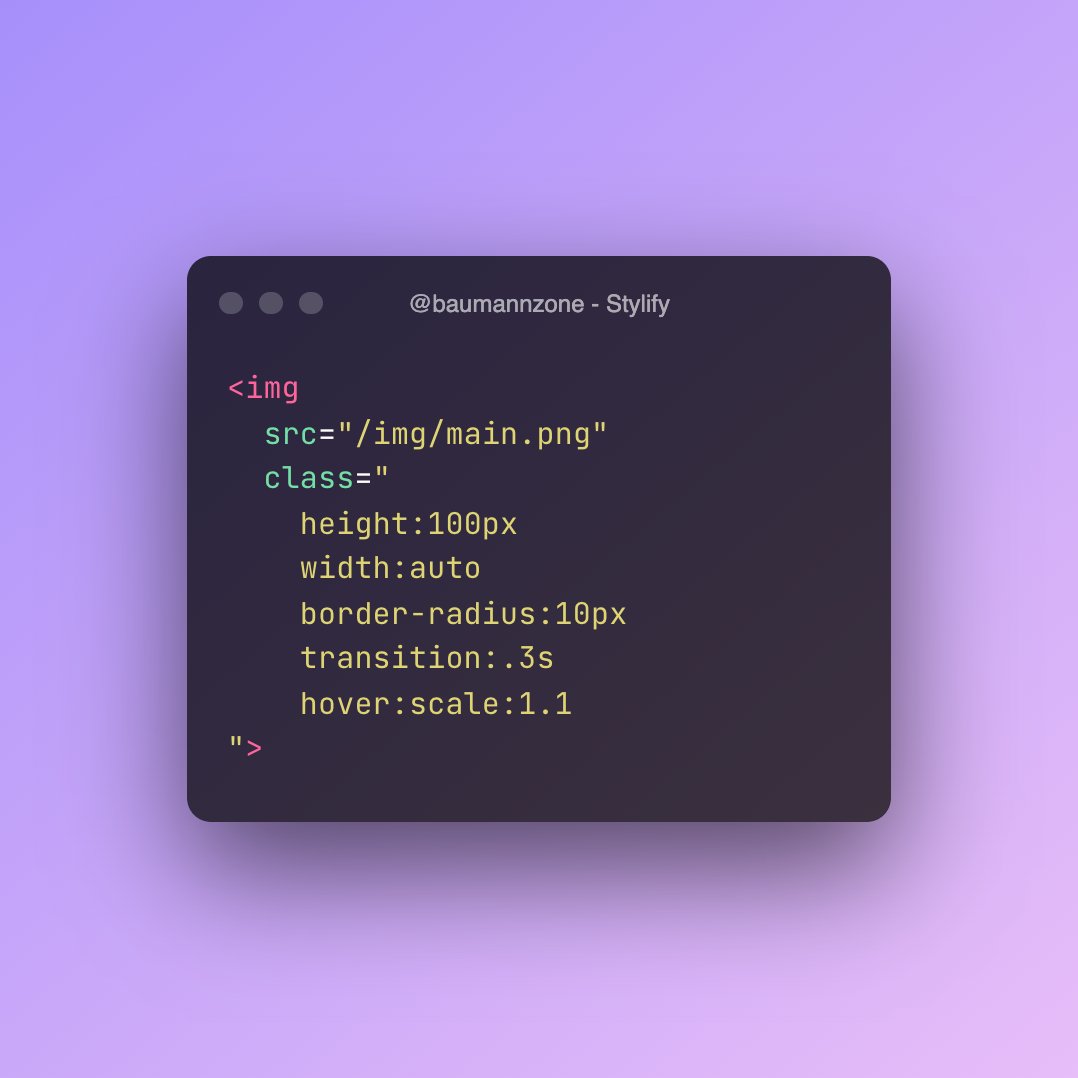
ALT <img src="/images/p1.jpg" class=" height:120px width:auto border-radius:4px transition:.3s hover:scale:1.1 ">
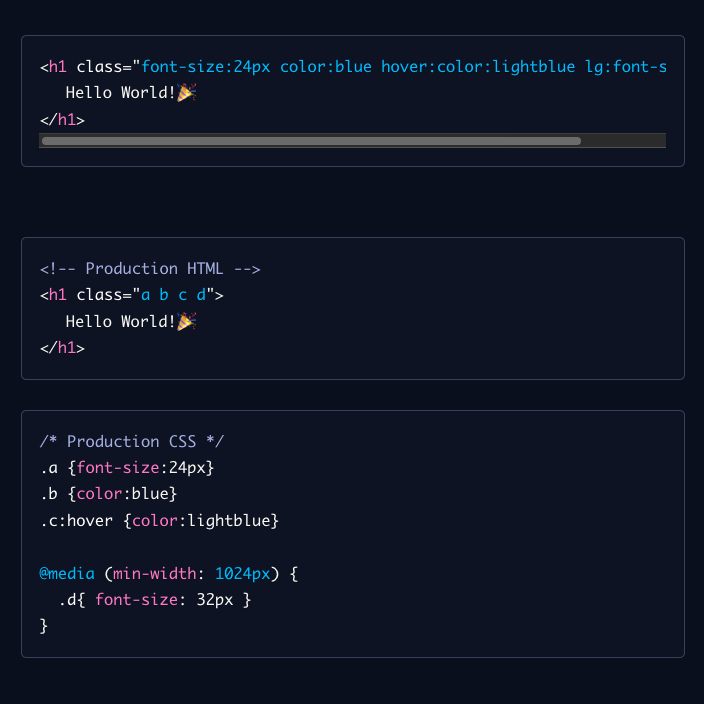
ALT <h1 class="font-size:24px color:blue hover:color:lightblue lg:font-size:32px"> Hello World!🎉 </h1> <!-- Production HTML --> <h1 class="a b c d"> Hello World!🎉 </h1> /* Production CSS */ .a {font-size:24px} .b {color:blue} .c:hover {color:lightblue} @media (min-width: 1024px) { .d{ font-size: 32px } }
12
22
85
16,127
Stylify 0.5.12 has been released🎉
stylifycss.com/
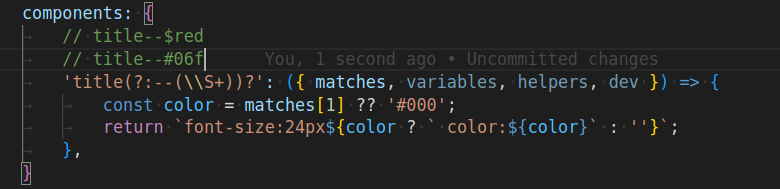
Now you can define Dynamic Components.
With this feature, you can create components, that changes style based on matches from regular expression
For example:
title--large, title--$red
#css #javascript #webdesign #ux
4
470
Stylify 0.5.11 have been released with some new features🚀.
Selectors tunning
Escaping aliases
CSS Optimization tunning
Vite 4 support
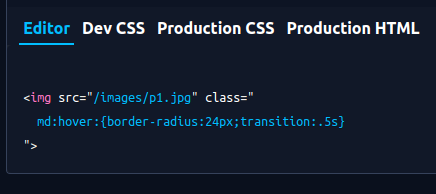
Selectors💎
Now, you can group selectors by media query and pseudo-class.
#css #javascript #webdev #html #code #webdesign
1
1
419
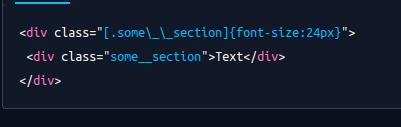
Escaping💎
In case you need to preserve a character such as _ (underscore - that is normally replaced by space), you can use \ (backslash) to tell Stylify not to replace it \_
#css #javascript #webdev #html #code #webdesign
1
273