

JavaScript diagramming library powering exceptional UIs
Prague, Czechia
- Tweets 439
- Following 106
- Followers 560
- Likes 48












📢 Demo Wednesday
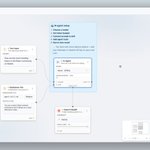
This demo shows how to write a JSON visualizer with JointJS+. Use TreeLayout to automatically position nodes and add Record shapes to organize object properties into tables where values have different styles depending on their type. ➡️ bit.ly/3eK9Er0
2
📢 Demo Wednesday
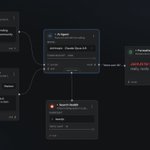
Do the elements of your diagram represent real world (unique) objects? Check out this CodePen that shows how to manage a pool of objects to be either available in a stencil or already used on the canvas ➡️ bit.ly/3CucoQX
📢 Demo Wednesday
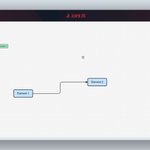
Interested in advanced tips for working with hierarchical diagrams? Try our new CodePen, which offers several cool features ➡️ bit.ly/3SGLah9
1
📢 Demo Wednesday
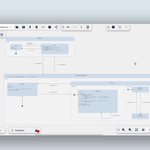
Do you want users to be able to drag and drop an image from their operating system directly into a diagram and turn it into an interactive element?
This is how it could be done ➡️ bit.ly/3xVwCli
📢 Demo Wednesday
How to export a diagram along with other information to PDF?
This CodePen does so with the help of the great jsPDF library and the export to canvas feature of JointJS ➡️ bit.ly/3BXT8fV
📢 Demo Wednesday
How to clone shapes using ui.Clipboard? How to allow the user to copy text or image and paste it into a diagram as a shape?
That's what today's CodePen is about ➡️ bit.ly/3U8GG3X
📢 Demo Wednesday
Do you want to present a diagram to your users element by element? Do you want them to navigate through the diagram using the presentation toolbar?
Here's a CodePen that does just that ➡️ bit.ly/3esIGnc
1
1
📢 Demo Wednesday
How to add a list of links to your shapes? How to visually indicate when elements have links? How to open the hyperlinks from the canvas? See the answers in our new CodePen ➡️ bit.ly/3B0GWuo
3
📢 Demo Wednesday
Do you need the size of element ports to be driven by the text they contain? Do you want to position ports based on dynamic factors? Well, here's a demo just for you ➡️ bit.ly/3CpXAVn
1
📢 Demo Wednesday
How to highlight all cells between two given elements? Check out this demo to see how we use the graph API to find cells and highlighters to present the result to the user ➡️ bit.ly/3c3MJph
2
📢 Demo Wednesday
How to configure an inspector field to control multiple attributes at once? One option is to define a custom element which binds a high-level attribute (textAlignment) to multiple presentation attributes (textAnchor, textVerticalAnchor. x, y) ⬇️
1
📢 Demo Wednesday
Are you working with ports and looking for inspiration? Check out our new CodePen showing the following features such as connection events, connection validations, custom ports markups, and more.
➡️ bit.ly/3Qh9STz
1
📢 Demo Wednesday
Need to support user interactions that are not part of JointJS? For example, allow users to drag and drop ports and change their order? This can be accomplished using the custom element tool, as we have done in this CodePen: bit.ly/3o2FDDN
1
📢 Demo Wednesday
Do you need to fetch data and transform it into a palette of elements? Looking for a way to intercept the default stencil behavior and replace it with your own? If the answer is yes, this demo is for you: bit.ly/3O380Mz
1
📢 Demo Wednesday
How to allow your users to draw different shapes using their pointer device? Check out our new CodePen example: bit.ly/3bUUAEZ
Do you have an idea for another demo? Let us know on Github Discussions: bit.ly/3aqazup
1
📢 Demo Wednesday
How to list all objects from a diagram? How to create list items linked to diagram objects? Take a look at this diagram index example: bit.ly/3QRE2Ox
Do you have an idea for another demo? Let us know on Github Discussions: bit.ly/3bF6bYZ
2
📢 Demo Wednesday
How would you create a hexagonal grid diagram? We used the Honeycomb library to do the math for us, and JointJS, which rendered the grid and the shapes in it and made everything interactive. Over to you – play around with our live demo: bit.ly/3y5moOL
1
📢 Demo Wednesday
How to move selected elements using the keyboard? And how to merge a discrete sequence of moves into a single undo operation? See a live demo on our CodePen profile to get the answer: bit.ly/3xTBIiz
1
📢 Demo Wednesday
We borrowed the arrange and align function from good old PowerPoint, so you no longer have to rack your brain on how to allow users to select and align objects. See a live demo on our CodePen profile to find out how: bit.ly/390MGZW
1
📢 Demo Wednesday
If you are wondering how to group several elements into a single entity and/or how to ungroup them, watch this CodePen demo: bit.ly/3M8BGHk
Do you have an idea for another demo? Let us know: bit.ly/3Mb1qme
1